Sit with this for a second, because it is the entire reason this game exists.
Typing practice is repeating the same finger movements until they stop needing thought. Piano practice is repeating the same finger movements until they stop needing thought. Structurally they are the same activity.
People quit typing practice in a week. People do piano for decades.
The difference is not discipline. It is that one of them makes a sound when you get it right, and the other one moves a counter.
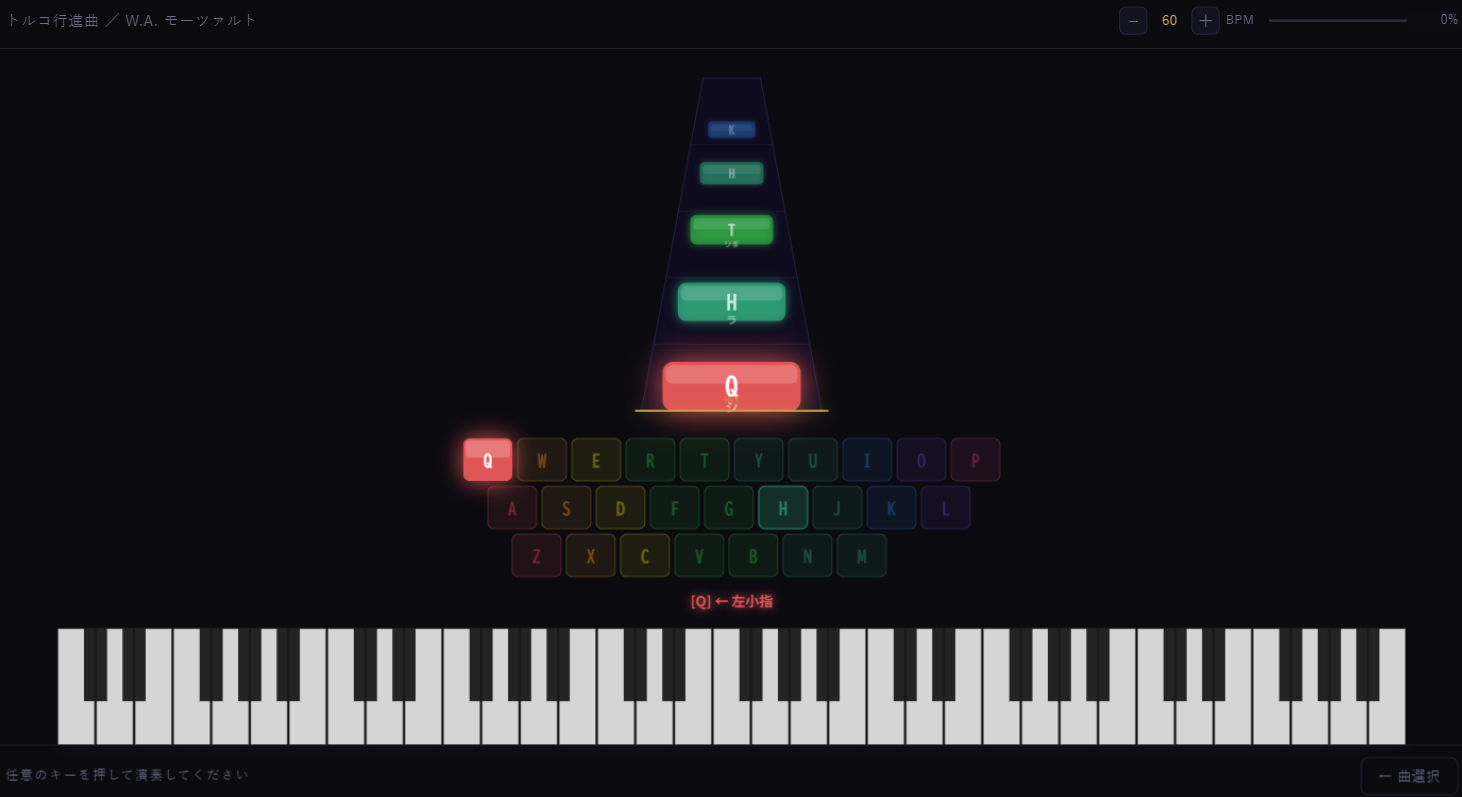
So I made the drill into an instrument
Piano Typing is home-row practice. Keys light up, you press them, and what comes out is an actual piece of music. There are three of them:
| Piece | Also known as |
|---|---|
| My Grandfather's Clock | The one everyone in Japan learns as a child |
| Für Elise | Beethoven. You know it even if you think you do not |
| Turkish March | Mozart. The fast one |
The important design decision, and the one I would defend hardest: the game does not play the song for you. It would have been far easier to trigger a backing track and let your keystrokes fire off decorative sound effects on top. Plenty of rhythm games do exactly that and they feel fine.
I did not want the illusion of playing. I wanted the thing itself. Every note you hear is a key you pressed. Stop pressing and the music stops, in the middle of a phrase, sounding exactly as wrong as it would on a real piano.
The tradeoff is that a bad run sounds bad. Which is correct. That is what practising is.
Almost all of the work was in the delay
Here is where the project nearly fell over.
The gap between pressing a key and hearing the note has to be effectively zero. Not "fast". Not "under a tenth of a second, that is fine". If there is any perceptible delay at all, the feeling of playing evaporates instantly and completely, and what you are left with is a typing drill with sound effects attached, which is the thing I was trying to escape.
It is a strange failure mode to debug, because nothing is broken. Nothing errors. The game just does not feel like anything. You press a key, a sound occurs, and your hands and your ears have quietly concluded they are two separate events.
Browsers do not make this easy. The audio stack has its own scheduling, and the naive approach of creating a sound when a key goes down puts you at the mercy of it. I ended up on Tone.js for the timing control, and the majority of my hours on this project went into that one problem rather than into anything you could point at on screen.
When it finally landed, the difference was not subtle. Same notes, same graphics, same everything, and suddenly your hands believe they are doing it.
The sneaky part
The key assignment places the most-used notes on the home row before using other letter keys. Playing them is finger placement practice, and you are not thinking about finger placement at all, because you are thinking about Für Elise.
That is the whole trick, and it is not a very complicated one. Give the drill a reason to exist that is not the drill.
Would I do it again
Three songs is not many, and I know it. The reason there are three rather than thirty is that each one has to be arranged to fit the home row and then tested for feel, and the second part takes much longer than the first.
Nobody has ever asked me for a fourth song. Nobody has asked me anything about this game at all. But it is the one I go back and open for no reason, which is probably the most honest review I can give it.
Piano Typing is free in the browser. Headphones recommended, obviously.