Play with a mouse or touch
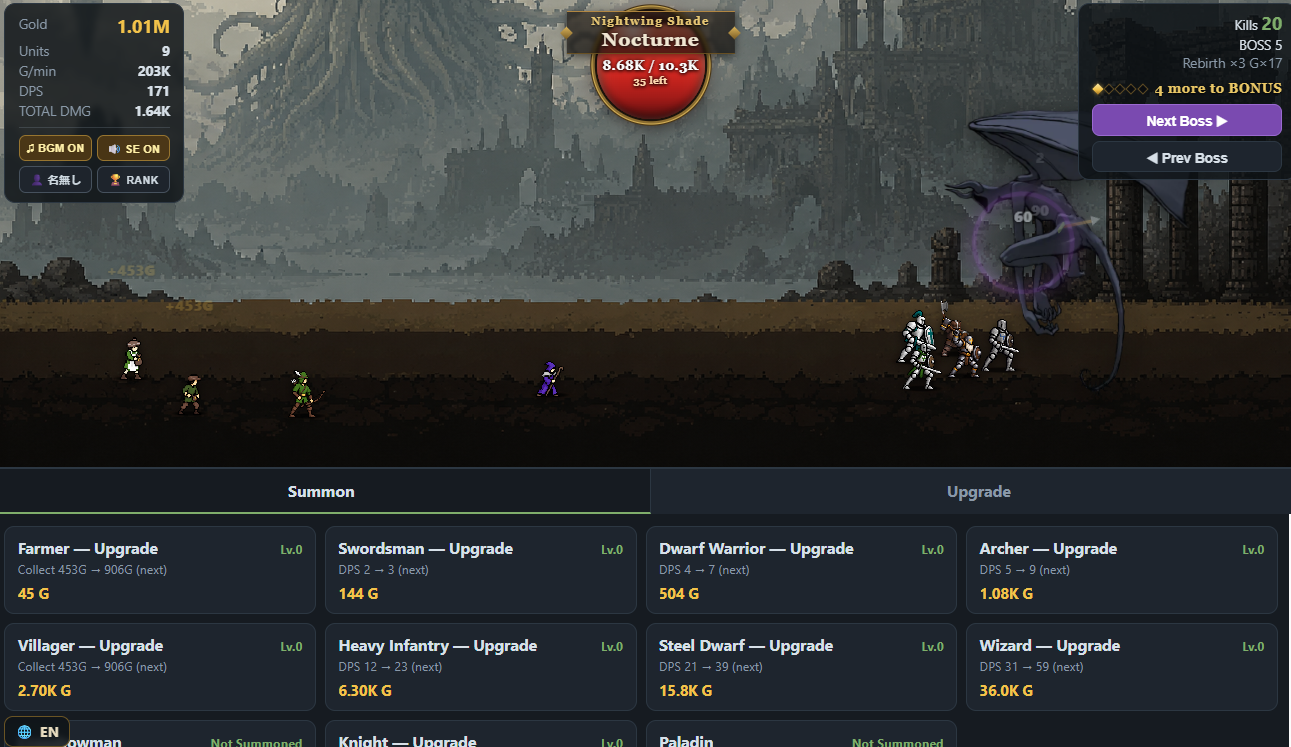
Mythos Slayer is the clearest starting point: tap a boss, earn gold and hire units. English opens automatically. If you want a shared world instead, choose Dig Planet, where everyone's digging changes the same planet.
PLAYER GUIDE · Updated September 10, 2026 · By Bubblegum
A keyboard, a quiet fishing spot, or a boss to chip away at: these games ask for different kinds of attention. Here is where to start, what to press first, and which ones work well without reading Japanese.
All ten games are free browser games made for this site. You can read their guides without starting a download. Press Play on a game page when you want to begin. Some games ask for a nickname for online features; they do not require an account.
Choose by goal · Compare all ten · Try typing · First moves · Troubleshooting
Mythos Slayer is the clearest starting point: tap a boss, earn gold and hire units. English opens automatically. If you want a shared world instead, choose Dig Planet, where everyone's digging changes the same planet.
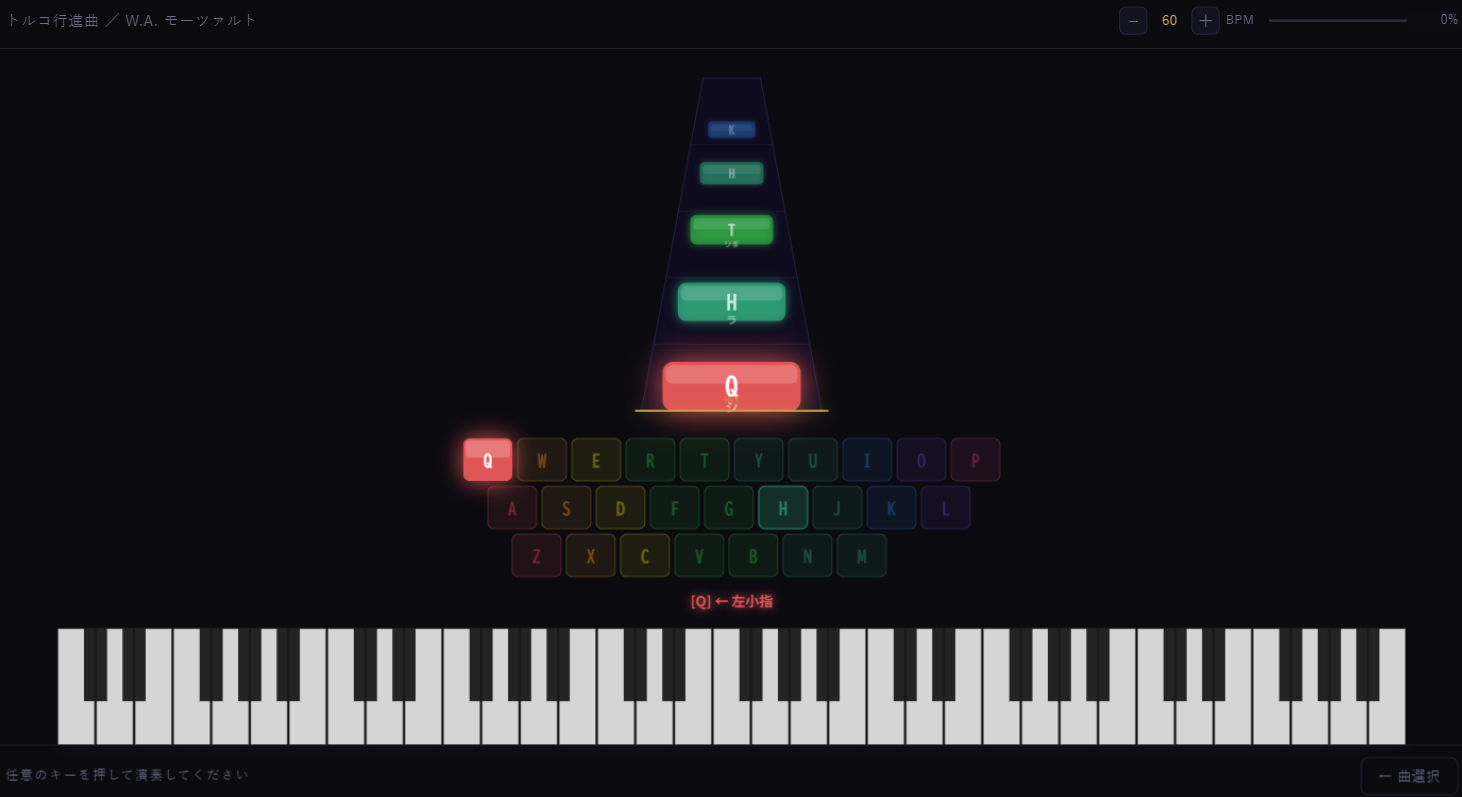
Piano Typing turns individual letter keys into notes. Start with the Clock lesson. The notes wait for the correct letter, so you can look down, find the key and continue. This is a good first step if typing whole words feels rushed.
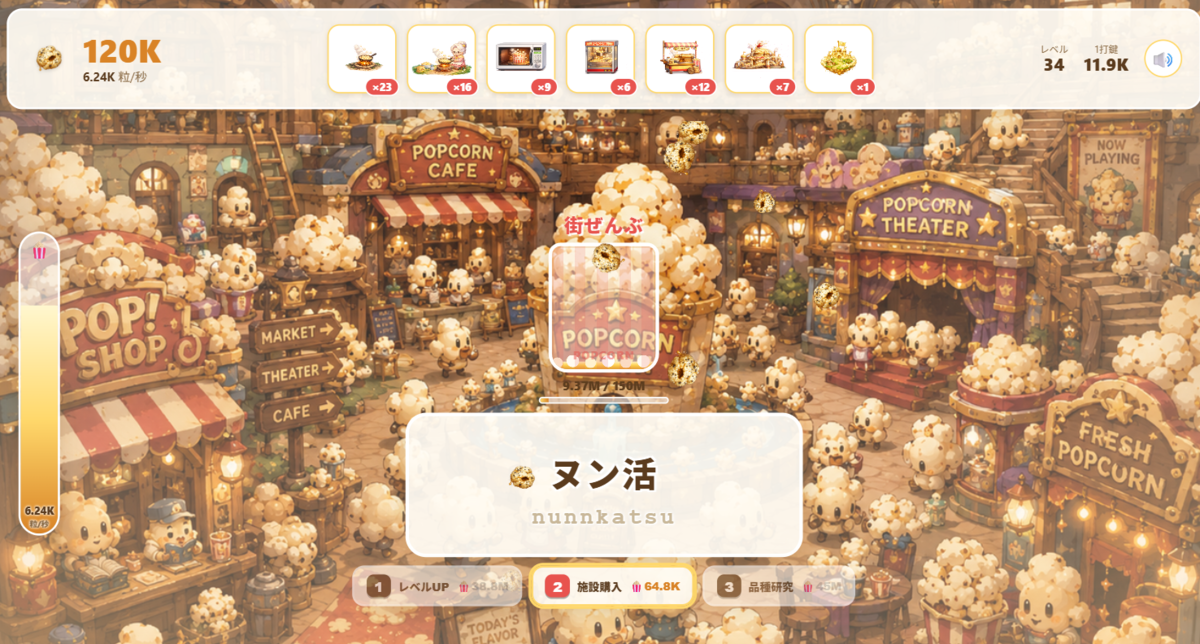
Popcorn Typing grows a popcorn factory as you copy Latin-letter prompts. Soldier Typing turns completed words into an army. Try the warm-up below first; you do not need to decipher the Japanese word to copy its displayed letters.
“English controls” means the main buttons and help are translated. It does not mean every character name, story scene or player message is English. The five keyboard games need a physical keyboard; a phone's on-screen keyboard is not a substitute for their in-game controls.
| Game | Input | Language support | A useful first goal |
|---|---|---|---|
| Mythos Slayer | Mouse / touch / Spacebar | English, Japanese, Chinese | Buy your first automatic attacker |
| Dig Planet | Mouse / touch | English / Japanese | Dig a visible patch and inspect an upgrade |
| Piano Typing | Physical keyboard | English controls; single letters | Play the opening notes of Clock |
| Popcorn Typing | Physical keyboard | English controls; Japanese words with romaji | Complete a word, then buy a facility |
| Soldier Typing | Physical keyboard | English controls; Japanese words with romaji | Summon a soldier and finish the first wave |
| Cthulhu Typing | Physical keyboard | English controls; Japanese words with romaji | Build an army for today's boss |
| Soldier Typing 2 | Physical keyboard | English entry/help; Japanese story and battle text | Follow the first wave's objective; Japanese reading helps |
| Creature Fishing | Mouse / touch / keyboard | English / Japanese switch in game | Wait for a bite and record your first catch |
| Creature Raising Kit | Mouse / touch | English / Japanese interface; player letters vary | Feed the creature and read a bottle letter |
| 500 Million Years | Mouse / touch | Japanese text and voice | Follow the opening story; choose another game if you need English |
Romaji is Japanese written with Latin letters. For はな, a prompt may show hana: press H, A, N, A. You are copying keys, not entering Japanese characters through an input method. In the games, follow the particular spelling shown on screen; alternate spellings are not accepted identically by every game.
This small exercise teaches that copying pattern with four example words. It is separate from the games: no timer, no score submission and no changes to your game saves. Mistakes keep your correctly entered prefix so you can try the next letter again.
Word 1 of 4
はな · flower
hana
Copy the Latin letters. There is no timer.
In the full games, mistakes have different consequences. Popcorn resets the combo multiplier. Cthulhu tracks accuracy for its final score. Slowing down to finish a word cleanly is a useful starting habit; the goal of this exercise is finding the keys, not measuring your speed.
Keep the game visible if you are comparing progress. It does not award offline income for time spent with the page closed. The purchase comparison guide explains when another unit or an upgrade gives more damage for your gold.
The Popcorn reward walkthrough shows how combo thresholds and the kana-length completion bonus interact. Long romaji spelling is not the same thing as a long kana word.
Click inside the game area first. Keyboard focus belongs to one page or input at a time. If you have just edited a nickname or opened a browser menu, click back into the game before pressing Spacebar or typing a word.
Switch your input method to Latin letters or turn Japanese IME off. Use the exact romaji prompt shown by the game. Piano is different: press its highlighted single letter.
Start the game with its Play button. Creature Fishing, Creature Raising Kit and 500 Million Years are Unity games with larger first downloads. If the game still does not start, use the “Open in a new tab” link beneath the window. A direct tab can help when an embedded frame or storage restriction interferes. If that also fails, send the game name, browser, device and any visible error through Contact.
Use the visible “Exit fullscreen” button above the game. It returns to the guide without reloading the game. Browser Back also closes the expanded view.
Most games rely on storage in the browser that played them. Embedded storage can be separated from direct-tab storage by browser privacy settings, and another device does not automatically share a save. Do not clear site data as your first troubleshooting step. Try the same browser and the same game entry you used before. Dig also keeps server-side progress connected to a browser identifier; see its save explanation.
Use the sound controls inside the game. Mythos can be played in short bursts. Piano lets notes wait. Cthulhu's daily limit is one successful clear, not a requirement to finish as soon as you open it. A running game may slow or pause in a background tab; leave it visible when you want dependable progress.
These are my own games, so the guides can explain the mechanics rather than guess at them. Start with the Mythos health and reward calculations, the Cthulhu score breakdown, or the Creature Raising Kit development story. Reviewed strategy pages link to the version of the game source used for their figures.
This guide describes the September 2026 builds. If the game and a guide disagree after an update, tell me which screen or number changed so I can check it.